QuickBooks Online + Zuper
Your field work and your books, finally talking to each other. Invoices, payments, customers, and inventory sync both ways, so your office team stops re-entering everything by manually.
Close the gap between the field and the books

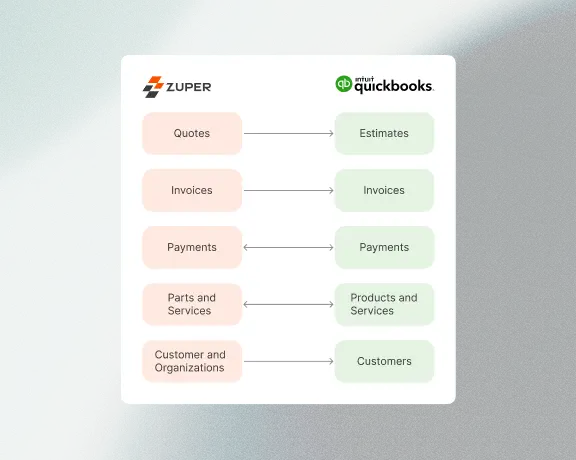
Every invoice you create in Zuper syncs straight to QuickBooks Online (QBO). Every payment recorded in QBO shows up in Zuper. Customers, estimates, products, and inventory all stay matched across both systems with bi-directional sync. No CSV exports. No copy-paste. No "I'll update the books on Friday."
Invoices and payments, always in sync
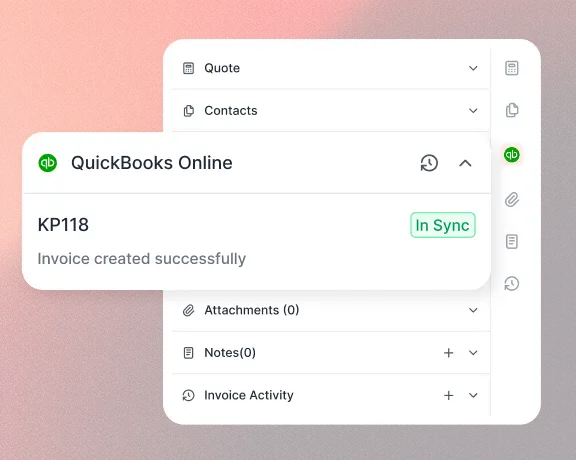
Create an invoice in Zuper and it appears in QBO automatically. Collect a payment in either system and the other one updates within minutes.
- Bi-directional invoice and payment sync, including partial payments
- Configurable sync triggers (choose which invoice status kicks off the push)
- Credits, refunds, and voided payments reflected in both systems
Customers and estimates, no double entry
When your office manager creates a new customer or sends a quote, that data flows to QBO without anyone touching it twice. Billing addresses, contact details, and quote line items all carry over.
- Customer records created or updated in Zuper sync to QBO automatically
- Estimates push to QBO on draft, sent, or accepted (you pick the trigger)
- Convert a quote to an invoice in Zuper and it links as a transaction in QBO
Inventory that matches what's actually on the truck
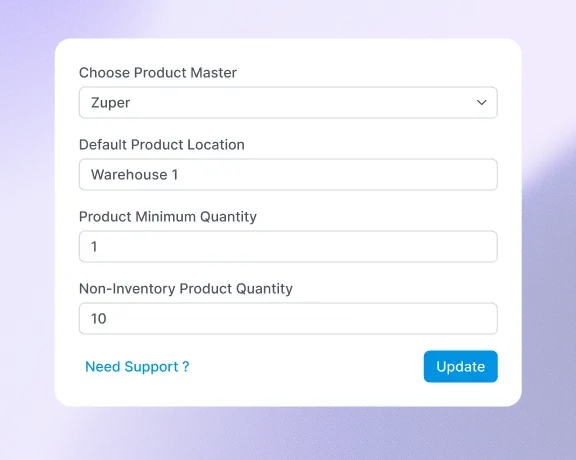
Parts, products, and services stay accurate across both platforms. Your team sees real quantities, not yesterday's guess. When stock drops below your threshold, Zuper flags it before a tech shows up empty-handed.
- Bi-directional inventory sync between Zuper and QBO (Plus/Advanced plans)
- Reorder triggers and purchase order approvals built in
- Products, non-inventory parts, and services each map to the correct QBO item type
Stop reconciling. Start running jobs.
Every hour your office team spends re-keying invoices and chasing payment status is an hour they're not spending on scheduling, customer calls, or growing the business.
